Scenet YAML#
A panel, a scene, a puppet file, an artwork contract and a comic script’s front matter are
written in Scenet YAML: YAML, read by a strict profile whose data model is JSON’s. Ordinary
dialogue is never mistyped — No, 1984 and 12:30 are lines like any other — and the parts of
YAML that no panel needs are refused. This page is normative: it says what every Scenet document
may hold, and the compiler, scenet check, the playground and the model server read it
through the same loader, scenet.safe_yaml.
Feature |
Rule |
|---|---|
Implicit typing |
YAML 1.2’s JSON schema only: |
A scalar where the language expects text |
Its source text, as written: |
Keys |
Text, as written: |
Tags ( |
Refused, as |
Anchors and aliases ( |
Refused, as |
Merge keys ( |
Refused, as |
Multi-document streams |
Refused: a file is one document |
Flow style, comments, block scalars, quoting |
Kept |
Tabs |
Never in indentation, nor between tokens: |
Each refusal is one finding, at exactly the text at fault, under its own rule.
Typing#
A plain scalar — one written without quotes — is typed by its spelling, and only these spellings are anything but text:
Written |
Read as |
|---|---|
|
a yes or a no |
|
no value |
|
an integer: an optional minus, then |
|
a float: an integer, then a point and digits, or an exponent, or both |
Everything else is text: yes, No, on, OFF, y, n, True, FALSE, ~, Null,
01750, 0o17, 0x400, 0b101, 1_0, +5, .5, .inf, .nan, 12:30, 190:20:30,
2024-05-01. A quoted scalar is always text, and so is a block scalar (|, >).
YAML 1.1, which most YAML readers in Python still implement, read many of those as something
else — No as false, 01750 as the octal 1000, 12:30 as the sexagesimal 750, 2024-05-01 as a
date. Scenet YAML does not. The spellings it does type are JSON’s, so a document means the same
thing read as YAML or as JSON.
Where the language expects text#
A dialogue line, a caption, a sound effect, an actor id, a pose’s name, a description: every value
the language takes as text takes a scalar as the text it was written as. A number keeps its
spelling, so 1.50 letters 1.50 and not 1.5.
cast:
  no: {reference: alice, at: left_third}
  on: {reference: bob, at: right_third, facing: left}
script:
  - say: {by: no, text: No}
  - say: {by: on, text: 1984}
  - caption: {text: 12:30}
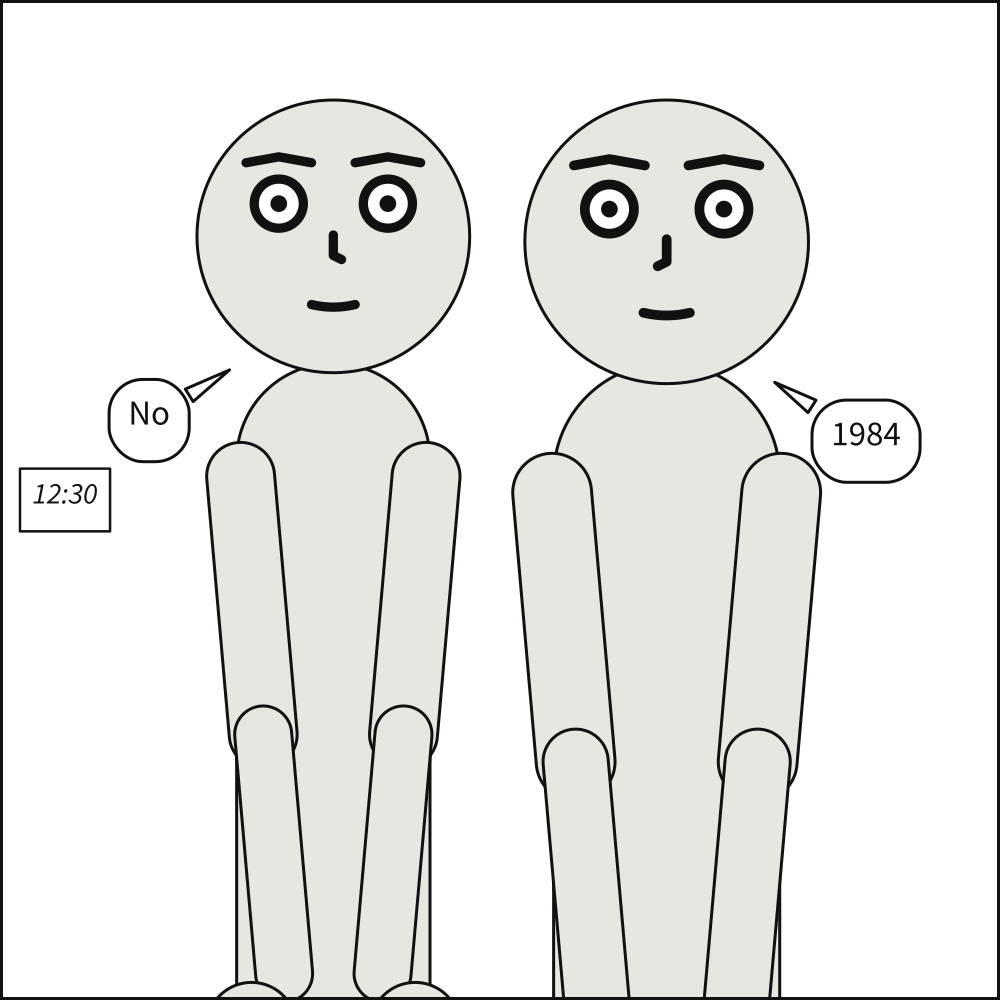
null is never text: it means no value, so text: null is a missing line. Quote it, 'null',
to letter the word.
Where the language expects a yes or a number#
A yes-or-no is true or false, and a number is written as JSON writes it. Text is never read as
either, not even quoted — '800' is text — and a finding says what to write instead:
cast: {alice: {reference: alice}}
script:
  - sfx: {text: BANG, hollow: yes}
scenet check says 'yes' is text in Scenet YAML, which reads only true and false as a yes or a no: write true. For size: [0x400, 01750] it gives one finding for each number, saying to write
1024 and 1750 — and that YAML 1.1 read 01750 as the octal 1000, which is the height a 0.13
compile drew.
What is refused#
Tags. A tag makes a value something it does not look like — !!binary aGVsbG8= lettered
hello — and makes the reader build whatever type it names. Scenet YAML has none. Where text is
expected, a number or true is the text it looks like anyway, so !!str is never needed:
cast: {alice: {reference: alice}}
script:
  - say: {by: alice, text: !!str 1984}
Anchors and aliases. An alias expands wherever it is used, without bound: a few lines can
stand for a document too big to hold. The language has its own reuse — every panel of a scene
inherits what the scene says beside panels:, and a panel inherits another’s with
over: — so &name and *name are refused. An unquoted line that starts with *,
as Markdown stresses a word, is an alias too: quote it, or stress the word with underscores,
_told_.
cast:
  alice: &look {reference: alice, pose: pointing}
  bob: *look
Merge keys. <<: copied another mapping’s keys in YAML 1.1 and is an ordinary key in YAML
1.2, so what it meant depended on the reader. It is refused; inherit with a scene’s defaults or
over:.
Tabs. YAML never allowed a tab in indentation, and the parser said so as “found character ‘\t’ that cannot start any token”. Scenet says which line is indented with a tab, and to indent it with spaces.
Editors and the schema#
The JSON Schemas scenet schema prints, which the VS Code extension validates with, agree with
this profile wherever a schema can: every text field accepts a number and a boolean, as the
compiler does, and hollow: yes is flagged as not a boolean. A schema sees values, not how they
were spelled, so an editor that reads YAML 1.2’s core schema still takes 0x400, True and .inf
for a number and a boolean, and an anchor for reuse. scenet check, which the extension runs on
save, reports each where it is written.